To search
Softonic Rating:
Very good:8/10
License:
Free
Added:
May 7, 2008
Publisher:
Website
File size:
3.3 MB
Downloads:
281
Elena Santos

“Easy photo retouch at your fingertips”

by Elena Santos

This easy photo editor, despite its scary name, lets you apply a quick retouch to your images in just a few simple steps.

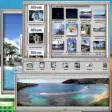
Phantasmagoria is developed in Java, which makes it compatible with all platforms and operating systems. It works in a very simple way: load the picture and select the task you want to do, focusing either on photo improvement or special effects.

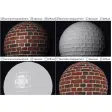
As for the first group, Phantasmagoria only features color correction, contrast equalizing and red-eye removal tools, whereas the special effects category includes a wide variety of filters with which you can give your photos a totally different look in a very easy way.

That said, Phantasmagoria has also some flaws, such as the impossibility to preview effects before applying them (not even if you modify some values, which is especially annoying). Also, there's no "undo" option but only a "revert" button that brings the picture back to its original state.

Phantasmagoria features a large variety of effects for a quick photo retouch but unfortunately lacks some basic options (like being able to preview changes or undo options.
Languages:

English

OS requirements for Phantasmagoria:

  • OS: WinXP/Vista

Minimum requirements:

  • Java Runtime Environment 6
Did you like this review?
12 of 18 users liked it (67%)

Phantasmagoria Softonic Rating: 8Featured program

Softonic gives special recognition to software of exceptionally high quality. More information

From the publisher of Phantasmagoria

Phantasmagoria is a fun, light-weight image editing application. The main focus is to apply effects to images, along with the basic editing that might be required after a sub-par shoot. In other words, what most of us actually need.

Need layers, vector graphic, and color models suitable for professional printing? You won’t find any of that here. Purchase Photoshop from Adobe instead. Don’t need all that, then don’t waste money on an extremely big worksuite, with an equally steep learning curve. Do download Phantasmagoria however, as you’ll get the functions you need at no cost.

Phantasmagoria is completely free for personal, non-commercial use. It will run on any platform that supports the standard edition of Java, which is about any modern operating system. So what are you waiting for? Your images is just beggin’ for some regal treatment. You can even upload them directly to Flickr afterwards, straight from your desktop.

Phantasmagoria options

Phantasmagoria Options

Reviews for Phantasmagoria in other languages

Softonic Rating:Very good
User Rating
Your opinion is important!

Download stats

Related

Related searches
View all

Are you the developer of Phantasmagoria?

If your program has received a Softonic rating, feel free to use the following award badge on your site or as part of any other promotional feature you may be putting together.

Phantasmagoria Softonic Rating

Click on the above text field to copy the necessary HTML to your clipboard and then paste it to your website. It will display your program's Softonic Rating and will link to your program page.

Any queries? Contact us if you want more info.

Close